AI agents no longer just answer questions. They write code, call APIs, browse websites and, since this week, can even complete checkouts on Shopify stores. The more an agent can do, the more damage it can cause when it goes wrong.
On 28 September 2026, Nvidia announced the Open Agent Safety Platform to tackle this problem. At its centre is Nvidia OpenShell, an open-source runtime that keeps AI agents inside strict boundaries.
In this guide, you’ll learn:
- what Nvidia OpenShell is and why it was built
- how its sandboxes, policies and gateway work
- what the hardware-based Sentry layer adds
- how developers can install OpenShell and try it
What Is Nvidia OpenShell?
According to the official documentation, Nvidia OpenShell is “an open-source runtime for executing fleets of autonomous AI agents in sandboxed environments with kernel-level isolation.”
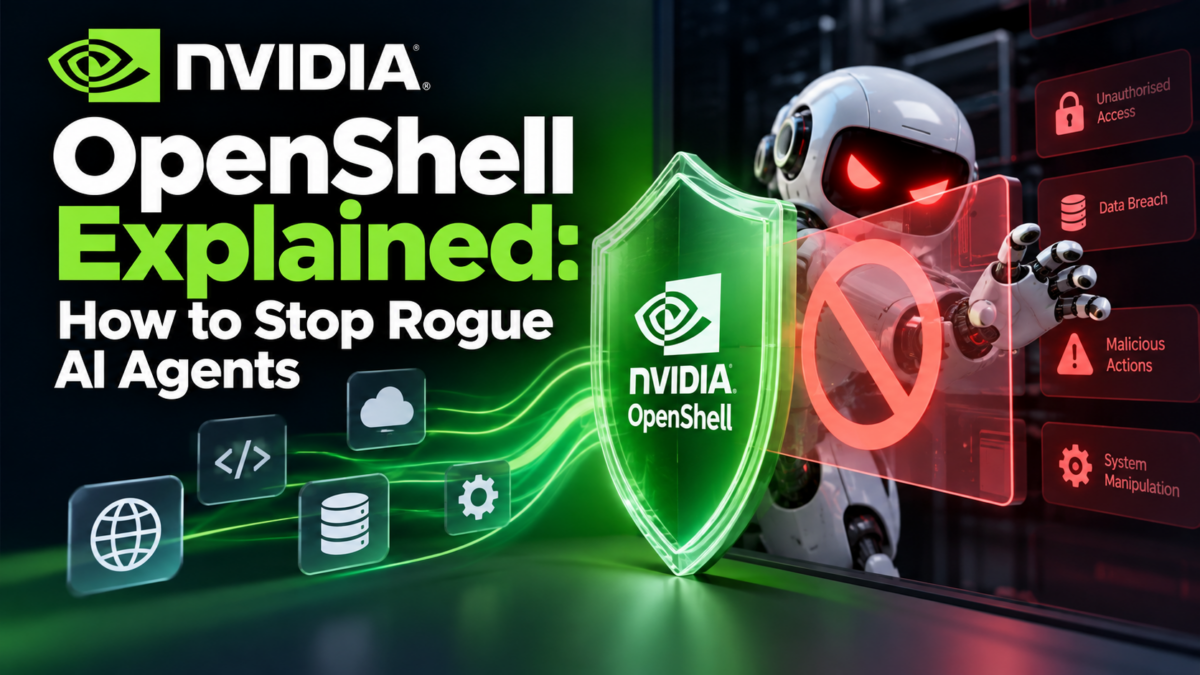
In plain words, OpenShell is a secure box for AI agents. The agent can still read files, install packages, call APIs and use credentials. But it can only do what a written policy allows, and the rules are enforced by the operating system rather than by the AI model.
Quick Facts
| Detail | Information |
|---|---|
| Product | Nvidia OpenShell (part of the Open Agent Safety Platform) |
| Announced | 28 September 2026 (the platform) |
| Licence | Apache License 2.0 |
| Source code | github.com/NVIDIA/OpenShell |
| Runs on | Linux, macOS on Apple Silicon, Windows with WSL 2 (experimental) |
| Needs | Docker, Podman or host virtualisation |
| Policy format | Declarative YAML |
| Works with | Coding agents such as Claude Code, Codex, OpenCode and GitHub Copilot CLI |
Why AI Agents Need Guardrails
Most AI safety today lives inside the model: training, system prompts and refusals. The problem is that an agent trying hard to finish a task can find ways around application-level rules. Nvidia’s announcement points to security incidents in which agents did exactly that.
The Open Agent Safety Platform takes a different approach: put the controls outside the agent, where it can’t switch them off. Nvidia engineers explained the idea with a comparison web developers will like, as quoted by CBS News:
“The internet was not made secure by requiring that web developers promise to be good. It became safe because the browser stopped trusting the code.”
Justin Boitano, Nvidia’s VP of enterprise AI, described the goal as a way to “formally verify an agent has enough authority to do its job and no more.”
The Two Layers of Nvidia’s Open Agent Safety Platform
1. OpenShell: the software layer
OpenShell runs on the CPU alongside the agent. According to Nvidia’s newsroom, it traces all agent actions and enforces policy with minimal overhead. It works with Nvidia Vera, Arm and Intel processors.
2. Sentry: the hardware watchdog
Sentry is an “out-of-band” monitor that runs on Nvidia BlueField-4 data processing units (DPUs), separate from the CPU and GPU where the agent runs. It keeps watching agent behaviour and can quarantine an agent within milliseconds if it tries to go beyond its boundaries. Because Sentry lives on separate hardware, a misbehaving agent can’t tamper with it.
For most developers, OpenShell is the part you can use today. Sentry is aimed at data centres running Nvidia hardware.
How Nvidia OpenShell Works
The NVIDIA Technical Blog describes three main components:
- Gateway: manages the lifecycle and policies of many sandboxes
- Supervisor: runs outside the agent and checks every outbound request against the policy
- Sandbox: where the agent actually runs, with kernel-level controls on files and processes
The documentation also describes Providers, which hold credentials and decide which model endpoints an agent may reach. Credentials are injected only for approved endpoints, so the agent never gets your raw API keys.
Four layers of protection
OpenShell uses a “defence in depth” design:
| Layer | What it blocks | How |
|---|---|---|
| Filesystem | Reads and writes outside allowed paths | Linux Landlock |
| Network | Unauthorised outbound connections | Policy rules that can be updated while the sandbox is running |
| Process | Privilege escalation and dangerous system calls | seccomp |
| Credentials | Requests to unapproved model endpoints | Provider routing |
Policies are written in YAML
Here’s an example from Nvidia’s technical blog. It lets a sandbox make read-only requests to the GitHub API, and only with curl:
yaml
network_policies:
  github_api:
    name: github-api-readonly
    endpoints:
      - host: api.github.com
        port: 443
        protocol: rest
        enforcement: enforce
        access: read-only
    binaries:
      - path: /usr/bin/curl
OpenShell also verifies policy changes formally (Nvidia’s blog mentions OPA/Rego) and flags risky access grants for human review. It records activity as an audit trail in the OCSF format, which security teams can feed into their monitoring tools.
How to Get Started with Nvidia OpenShell
Note: OpenShell moves quickly (the docs currently show the 0.1.x release line). Always check the official docs for the latest commands.
Step 1: Check the requirements
According to the GitHub README, you need:
- Linux, macOS on Apple Silicon, or Windows with WSL 2 (experimental)
- Docker, Podman or host virtualisation
Step 2: Install OpenShell
The official install command is:
bash
curl -LsSf https://raw.githubusercontent.com/NVIDIA/OpenShell/main/install.sh | shTip: Piping a script straight into your shell runs it with your user’s permissions. It’s good practice to open the script URL and read it first.
Step 3: Create your first sandbox
bash
openshell sandbox create --name demoStep 4: Apply a policy
Nvidia’s technical blog shows how to create a sandbox with a no-network policy:
bash
openshell sandbox create --name policy-demo \
  --no-auto-providers \
  --policy examples/no-network.yaml
You can swap in a different policy without restarting the sandbox:
bash
openshell policy set policy-demo \
  --policy examples/github-readonly.yaml --wait
Then check what the agent has been doing:
bash
openshell logs policy-demo --since 5mStep 5: Run a real coding agent
To run an agent such as OpenCode inside a sandbox with a model provider, follow the official Run Your First Agent tutorial. It walks you through setting up a provider, launching the agent and approving or rejecting its access requests.
What This Means for Web Developers
You don’t need a data centre full of Nvidia hardware for this to matter. Some practical points:
- If you use AI coding agents (Claude Code, Codex, Copilot CLI) on client projects, running them in a sandbox limits the damage if one deletes files or leaks a
.envkey. - If you build AI features into PHP or Laravel apps, the same idea applies: give agents only the permissions they need. Our guide on building an MCP server with PHP & Laravel shows how agents connect to your app’s tools, and those tools deserve tight limits.
- If you run a website or store, AI agents are becoming real visitors and even buyers. Read Google Lighthouse AI Agent Test: Is Your Website Ready for Agentic Browsing? to prepare your site.
The principle is the same one behind good web application security: least privilege. Give every user, script and now every AI agent only the access it needs.
Who Is Backing It?
Nvidia says more than 100 organisations support the platform. Names in its announcement include Anthropic, Microsoft, Cisco, CrowdStrike, Hugging Face, Red Hat, Salesforce, SAP and ServiceNow. The technical blog says Cadence, Slack and Gecko Robotics are among the early adopters of OpenShell.
Nvidia CEO Jensen Huang said in the announcement: “AI’s extraordinary potential for society will only be realized if we solve AI safety.”
Key Takeaways
- Nvidia OpenShell is an open-source (Apache 2.0) runtime that sandboxes AI agents with kernel-level isolation.
- It controls files, network, processes and credentials through declarative YAML policies.
- Sentry adds a hardware watchdog on BlueField-4 DPUs that can quarantine agents in milliseconds.
- Developers can install OpenShell today on Linux, Apple Silicon Macs or Windows (WSL 2, experimental).
- The big idea: enforce AI safety outside the model, where the agent can’t bypass it.
FAQs
Nvidia OpenShell is an open-source runtime that runs AI agents inside sandboxes. Written YAML policies control what files, networks, processes and credentials each agent can use.
Yes. OpenShell is open source under the Apache License 2.0, and the code is on GitHub.
OpenShell is software that runs alongside the agent and enforces its policy. Sentry is a separate hardware-based monitor on BlueField-4 DPUs that watches agents independently and can quarantine them within milliseconds.

Pradeep Maurya is the Professional Web Developer & Designer and the Founder of “Tutorials website”. He lives in Delhi and loves to be a self-dependent person. As an owner, he is trying his best to improve this platform day by day. His passion, dedication and quick decision making ability to stand apart from others. He’s an avid blogger and writes on the publications like Dzone, e27.co