Hello friends, In this post we will learn how to access phpMyAdmin database without cpanel login using my domain name. To access database with your domain name, we have to use the phpmyadmin package. Now, i am going to explain…
Expand +All Articles
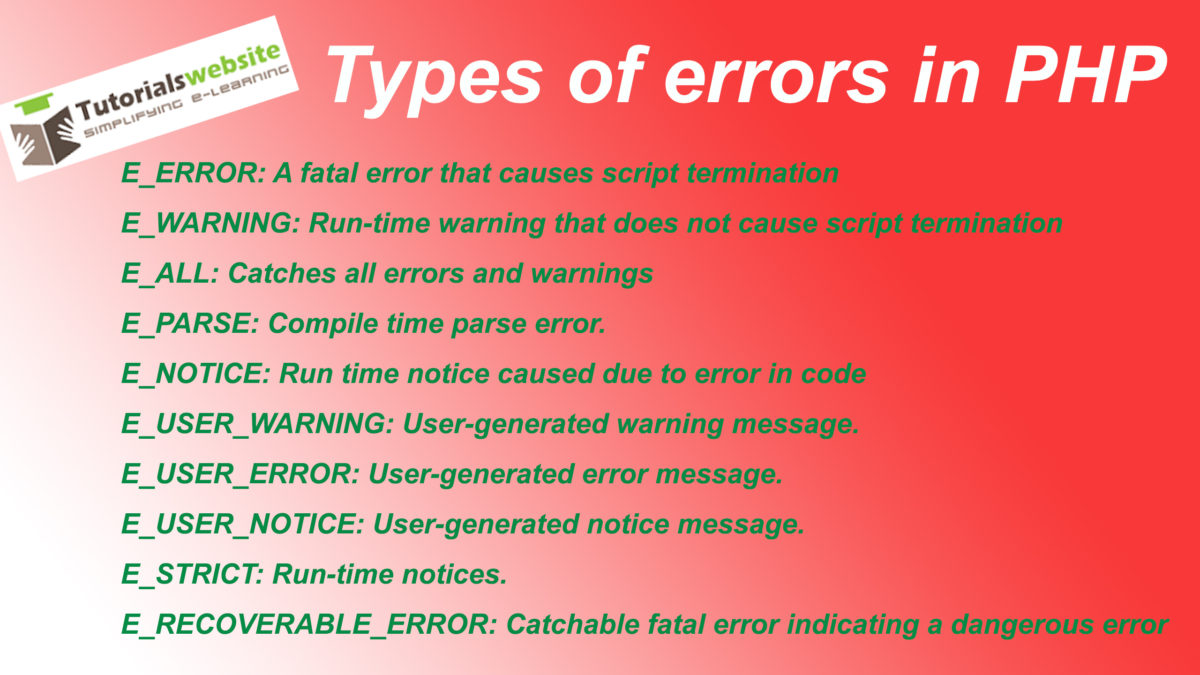
Different types of errors in php
E_ERROR: A fatal error that causes script termination E_WARNING: Run-time warning that does not cause script termination E_ALL: Catches all errors and warnings E_PARSE: Compile time parse error. E_NOTICE: Run time notice caused due to error in code E_USER_WARNING: User-generated…
Expand +Distance calculator between two places using google map API in php
Hello! In this post, you will learn how to calculate distance between two places using google map API in php.Here you will calculate by air distance between two countries. See below ..how to do it. Distance Calculation Distance:
Expand +how to connect mysqli with php
MYSQLi Tutorial for Beginners – how to create MySQLi connection with php in simple and easy steps starting from basic to advanced level. To create connection 4 parameter is required : “hostname” , “username“, “password” and “database name” see below..how…
Expand +How to write connection class to mysql database using php
Hello! In this post, you will learn to how to write and test the OOP based connection class to mysql database using php. see below..how to do it.. connection.php
|
2 3 4 5 6 7 8 9 10 11 12 13 14 15 16 17 18 19 20 21 22 23 24 25 26 27 28 29 30 31 32 33 34 35 36 37 38 39 40 41 42 43 44 45 46 47 48 49 50 51 52 53 54 55 56 57 58 59 60 61 62 63 64 |
<?php /** @author tutorialswebsite *@ copyright 2016 */ class createDBConnection // create a class for make connection { var $host="localhost"; var $username="username"; var $password="password"; var $database="database name"; var $dbconn; function connectToDatabase() //specify the server details for mysql { $conn=mysql_connect($this->host,$this->username,$this->password); if(!$conn)//testing the connection { die("Cannot connect to the database"); }else{ $this->dbconn=$conn; echo "Connection established"; } return $this->dbconn; } function selectDatabase() // selecting the database { //use php inbuild function foer select database mysql_select_db($this->database); if(mysql_error()) // if error occured display the error message { echo "Cannot find the database".$this->database; } echo "Database Selected.."; } function closeConnection() // close the connection { mysql_close($this->dbconn); echo "Connection closed"; } } ?> |
Now you have create the database connection class let’s see…
Expand +Send email with html template using php
Hello! In this post, you will learn to send email with html template using php. 1. Extract($_POST) – Extracting Post Variables From. 2. file_get_contents – Html design form to get the function. Normally we use php mailer function for sending…
Expand +Types of Array
Array is the collection of keys and values. The key can either be an integer or a string. The value can be of any type. This is usually done for single-line arrays, i.e. array(1, 2) is preferred over array(1, 2, ).…
Expand +PHP Array Function
Here is the list of PHP array functions sizeof () :- This function is used to count the items of the array. (count() is also used instead of this). Example:
|
2 3 4 5 6 7 8 9 10 11 12 |
<?php //Define array $data=array(‘Bugatti’,’Gallardo’,’Audi’,’Nissan’,’ Chevrolet ‘); echo sizeof($data); ?> |
explode () :- This function is used…
Expand +How to show image thumbnail before upload with jQuery
Now, i am going to Share: How to show image thumbnail before upload with jQuery Step 1:- Put the following code in <body></body> section.
|
2 3 4 5 |
<div id="previewimg"></div> <input id="upload_file" class="img" name="image" type="file" /> |
Step 2:- Put the script code in <head></head> section.
|
2 3 4 5 6 7 |
<script src="http://code.jquery.com/jquery-1.10.2.js"></script> <script type="text/javascript">// <![CDATA[ $(function() { $("#upload_file").on("change", function() { var files = !!this.files ? this.files : []; if (!files.length || !window.FileReader) return; // no file selected, or no FileReader support if (/^image/.test( files[0].type)){ // only image file var reader = new FileReader(); // instance of the FileReader reader.readAsDataURL(files[0]); // read the local file reader.onloadend = function(){ // set image data as background of div $("#previewimg").css("background-image", "url("+this.result+")"); } } }); }); // ]]></script> |
Step 3:- Put following CSS…
Expand +Gravity Forms Woocommerce Product Add-on not sending notifications
By default, Gravity Forms Add-Ons does not send email notifications when they are assigned to a product. The change below will enable Gravity Forms to send the notification. Woocommerce Gravity Form add-on Fix: gravityforms-product-addons.php, line: 567
|
2 3 4 5 6 7 8 9 10 11 12 |
function disable_notifications( $disabled, $form, $lead ) { return true; } We changed true to false. function disable_notifications( $disabled, $form, $lead ) { return false; } |