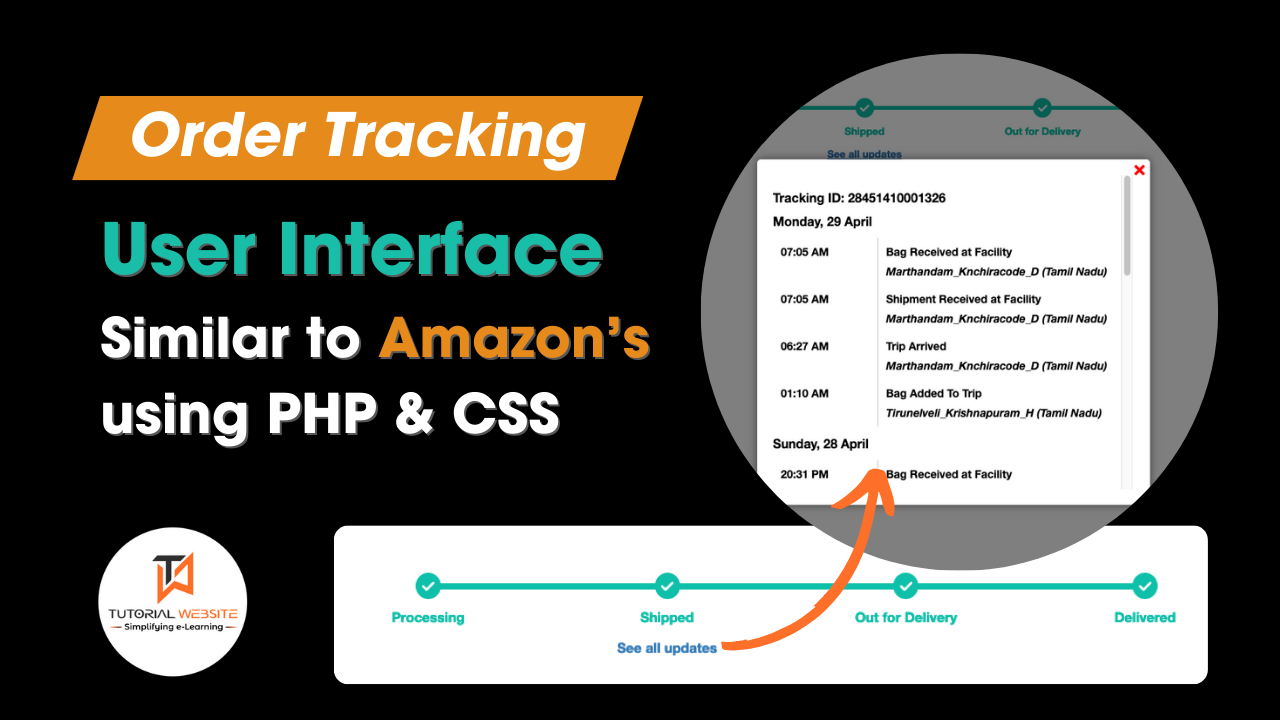
Order tracking is an essential feature for e-commerce platforms, as it provides customers with real-time updates on the status of their purchases. An intuitive and efficient order tracking interface enhances the user experience and builds trust.
In the competitive world of e-commerce, customer satisfaction is paramount. One critical aspect of customer satisfaction is the ability to track orders seamlessly. Amazon, a leader in the e-commerce industry, sets a high standard with its robust order tracking system.
Suggested Read: How to Generate Dynamic QR Code with Razorpay API in PHP
In this article, we will explore how to build an order tracking user interface similar to Amazon’s using PHP and CSS.
Order Tracking User Interface Like Amazon Using PHP & CSS
Shipment Tracking Json Response
Here, I will use Delhivery Shipment Tracking API Json response to display shipment tracking status as user interface view. You can use any tracking api response data or your own custom database tracking result.
Please find the below Delhivery Shipment Tracking json response data.
In the above code you can see $waybillID which is the tracking id, and $jsonData is the shipment tracking json response.
Build User Interface Similar to Amazon’s
Here we will create a file index.php and use PHP and CSS to build the tracking layout similar to Amazon with the help of above json response.
Step-1: First we will decode json data to array
// Decode the JSON data
$tracking_info = json_decode($jsonData, true);
Step-2: Now we will convert this response to our required format.
Step-3: Creating the User Interface with PHP & CSS
Now we will create layout with php and css and bind the response data with condition to active and inactive status.
Processing1 && $current_progress < 2){?> =2){ ?>Shipped = 1 && $current_progress <=3 ){?>2 && $current_progress < 3){?> =3){ ?>
See all updatesOut for DeliveryDelivered
Output:

Are you want to get implementation help, or modify or extend the functionality?
A Tutorialswebsite Expert can do it for you.
Step-4: Create See all updates POPUP with details
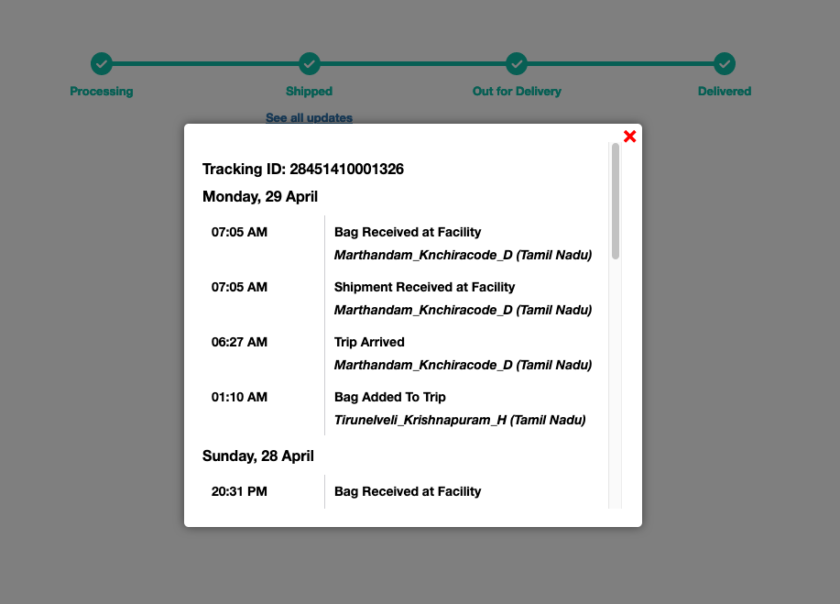
When the user clicks on the ‘See all updates’ text, it triggers the opening of a popup displaying comprehensive tracking information, such as dates, times, and detailed tracking updates
$scan['ScanDetail']['ScanDateTime'],
'Instructions' => $scan['ScanDetail']['Instructions'],
'ScannedLocation' => $scan['ScanDetail']['ScannedLocation']
];
}
}
}
}
krsort($in_transit_scans);
// Step 3: Sorting Scans by Time in Descending Order within each Date
foreach ($in_transit_scans as $date => &$scansForDate) {
usort($scansForDate, function ($a, $b) {
return strtotime($b['ScanDateTime']) - strtotime($a['ScanDateTime']);
});
}
unset($scansForDate); // Break reference to the last element
// Generate HTML for the "In Transit" scans
$in_transit_html = '';
$in_transit_html .= 'Tracking ID: '.$waybillID.'
';
if(is_array($in_transit_scans) && !empty($in_transit_scans)){
foreach ($in_transit_scans as $date =>$scan) {
$in_transit_html .="".date('l, d F',strtotime($date))."
";
$in_transit_html .= '';
foreach ($scan as $shipment) {
$time = date('H:i A', strtotime($shipment['ScanDateTime']));
$location = $shipment['ScannedLocation'];
$instructions = $shipment['Instructions'];
$in_transit_html .= "- $time $instructions
$location ";
}
$in_transit_html .= '
';
}
}
$in_transit_html .= '';
// Pass the HTML to JavaScript
echo '';
?>
×
Output:
Are you want to get implementation help, or modify or extend the functionality?
A Tutorialswebsite Expert can do it for you.
Step-5: Complete Code
How to Create Order Tracking User Interface Similar to Amazon’s using PHP & CSS | tutorialswebsite.com $scan['ScanDetail']['ScanDateTime'], 'Instructions' => $scan['ScanDetail']['Instructions'], 'ScannedLocation' => $scan['ScanDetail']['ScannedLocation'] ]; } } } } krsort($in_transit_scans); // Step 3: Sorting Scans by Time in Descending Order within each Date foreach ($in_transit_scans as $date => &$scansForDate) { usort($scansForDate, function ($a, $b) { return strtotime($b['ScanDateTime']) - strtotime($a['ScanDateTime']); }); } unset($scansForDate); // Break reference to the last element // Generate HTML for the "In Transit" scans $in_transit_html = 'Processing1 && $current_progress < 2){?> =2){ ?>Shipped = 1 && $current_progress <=3 ){?>2 && $current_progress < 3){?> =3){ ?>
See all updatesOut for DeliveryDelivered'; $in_transit_html .= ''; // Pass the HTML to JavaScript echo ''; ?>Tracking ID: '.$waybillID.'
'; if(is_array($in_transit_scans) && !empty($in_transit_scans)){ foreach ($in_transit_scans as $date =>$scan) { $in_transit_html .="".date('l, d F',strtotime($date))."
"; $in_transit_html .= ''; foreach ($scan as $shipment) { $time = date('H:i A', strtotime($shipment['ScanDateTime'])); $location = $shipment['ScannedLocation']; $instructions = $shipment['Instructions']; $in_transit_html .= "
'; } } $in_transit_html .= '- $time $instructions
"; } $in_transit_html .= '
$location×