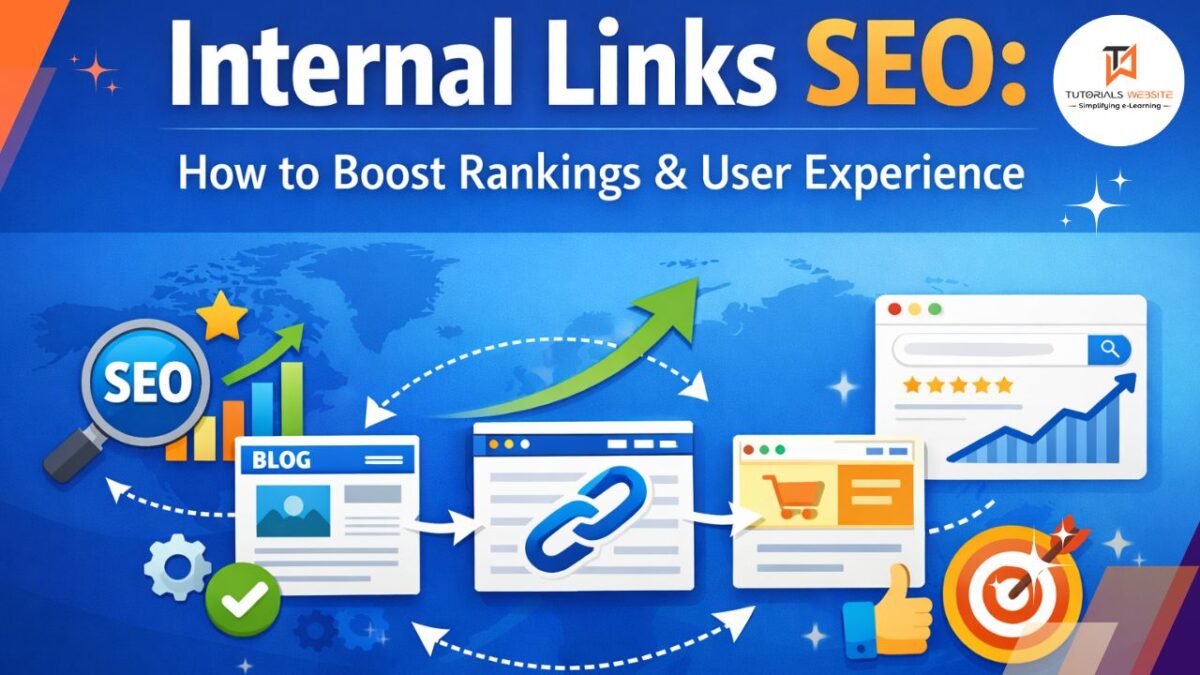
Let’s talk about internal links properly, without making it sound like an SEO lecture.
Most people add internal links randomly or because some plugin tells them, But internal links are not a formality.
They decide how your site is structured, how Google understands it, and where users go next.
Once you understand this, internal linking becomes very natural.
Good internal linking also helps with voice search SEO, because when content is well connected and easy to navigate, search engines can pull more accurate answers for voice-based queries.
What Internal Links Really Are
Internal links are simply links that connect one page of your website to another page on the same website.
That’s all.
- Menus use internal links.
- Footers use internal links.
- Blog posts linking to other blogs or service pages — also internal links.
Google sees all of these connections and uses them to understand your website.
How Internal Links Help Your SEO
Instead of listing points, let me explain why they matter.
1. They Improve Your Site Structure Automatically
Think of your website like a pyramid. If you’re creating long-form guides, internal links become even more important—especially when following the five steps to write successful pillar content, where supporting articles must connect back to the main pillar page.
- At the top is your homepage.
- Below that are your main category or service pages.
- Below that are blog posts, guides, and detailed pages.
Internal links connect all these levels.
When you link properly, Google understands:
- which pages belong together
- which pages are more important
- how information flows across your site
Without internal links, your site feels scattered. With them, it feels organized.
2. They Help Google Crawl and Index Your Pages
Google doesn’t find pages by magic. It follows links.
When there are clear internal links pointing to a page, Google:
- discovers it faster
- crawls it more often
- indexes it more reliably
If a page has no internal links pointing to it, Google may treat it as unimportant or even ignore it. These are called orphan pages, and they almost never perform well.
3. They Distribute Page Authority
Some pages on your website are naturally strong.
Your homepage usually has the most authority.
Older blog posts may have backlinks.
Some pages may already get traffic.
When you link from these strong pages to other pages, SEO value flows.
You don’t need to think about formulas. Just remember:
Pages with more internal links are seen as more valuable.
That’s why linking from your homepage or popular posts to key pages is so powerful.
4. They Make Your Website Easier to Use
Internal links are not just for Google. They are for people.
When someone reads your content and you guide them to:
- a related article
- a deeper explanation
- the next logical page
they stay longer, click more, and feel less lost.
This improves:
- engagement
- session duration
- bounce rate
And yes, Google notices user behavior too.
Internal links work best when the content itself is engaging, which is why following the 10 golden rules to write engaging content naturally increases clicks and session duration.
5. They Can Increase Conversions Without Pushing Sales
Internal links quietly guide users.
Instead of forcing popups or aggressive CTAs, you can link naturally to:
- pricing pages
- collections
- signup forms
- service pages
When the link fits the context, users click because it makes sense — not because they’re forced.
That’s how internal links support conversions.
Best Practices for Internal Linking
Now let’s talk about how to do this without messing it up.
1. Plan Your Site Structure First
Before adding links, understand your structure.
Homepage at the top.
Important pages just below it.
Supporting content deeper.
Once this is clear, internal linking becomes logical instead of random.
2. Audit Your Internal Links Regularly
Over time, websites change.
Pages get deleted. URLs change. Content becomes outdated.
Broken or irrelevant internal links:
- hurt user experience
- confuse search engines
Doing a simple internal link audit once in a while keeps your site healthy.
In many cases, a website developer helps audit internal links, fix broken URLs, and ensure the site structure remains clean and SEO-friendly.
3. Always Link With Context
This is very important.
Don’t add links just because you want SEO benefits.
Add links because:
- the topic is related
- the reader might want more information
Contextual links inside content are far more powerful than links placed randomly.
4. Avoid Over-Optimization
More links don’t mean better SEO.
Stuffing too many internal links:
- looks spammy
- confuses users
- weakens clarity
As a rough idea, a few meaningful links per 1,000 words is more than enough. Focus on usefulness, not numbers.
5. Use Nofollow Only When Needed
Most internal links should be normal “follow” links.
Use rel="nofollow" only for pages like:
- login pages
- admin panels
- internal search or filter pages
For content and important pages, let Google follow and understand the connection.
Internal Links vs External Links vs Backlinks
Just to avoid confusion:
- Internal links connect your own pages
- External links point from your site to another site
- Backlinks come from other sites to yours
All matter, but internal links are the easiest to improve because you control them completely.
Final Thoughts
Internal links won’t magically rank bad content.
But if your content is decent, internal links decide:
- which pages get attention
- which pages grow
- which pages stay invisible
Most websites already have good content. They just don’t connect it properly. Once you fix that, SEO starts making a lot more sense.
FAQ’s
Internal links are links that connect one page of a website to another page on the same domain. In SEO, they help search engines discover pages, understand site structure, and pass ranking authority between pages.
Internal links improve SEO by helping search engines crawl and index pages, distributing link authority across your website, and improving user experience by guiding visitors to relevant content.
There is no fixed number of internal links per page. The best practice is to add internal links naturally where they add value for users. Quality and relevance matter more than quantity.
Yes, internal links can help improve Google rankings by passing SEO value from high-authority pages to other important pages and helping search engines understand which pages are most important.
Internal links connect pages within the same website, while backlinks are links from other websites pointing to your site. Both are important for SEO, but internal links are fully under your control.
By default, internal links should be dofollow so they can pass SEO value. Nofollow should only be used for pages like login pages or admin areas that don’t need to rank in search results.
Yes, adding too many internal links can confuse users and dilute link value. Internal links should always be relevant and placed naturally to maintain a good user experience.

Vikas Maurya is a professional blogger and Data analyst who writes about a variety of topics related to his niche, including data analysis and digital marketing.