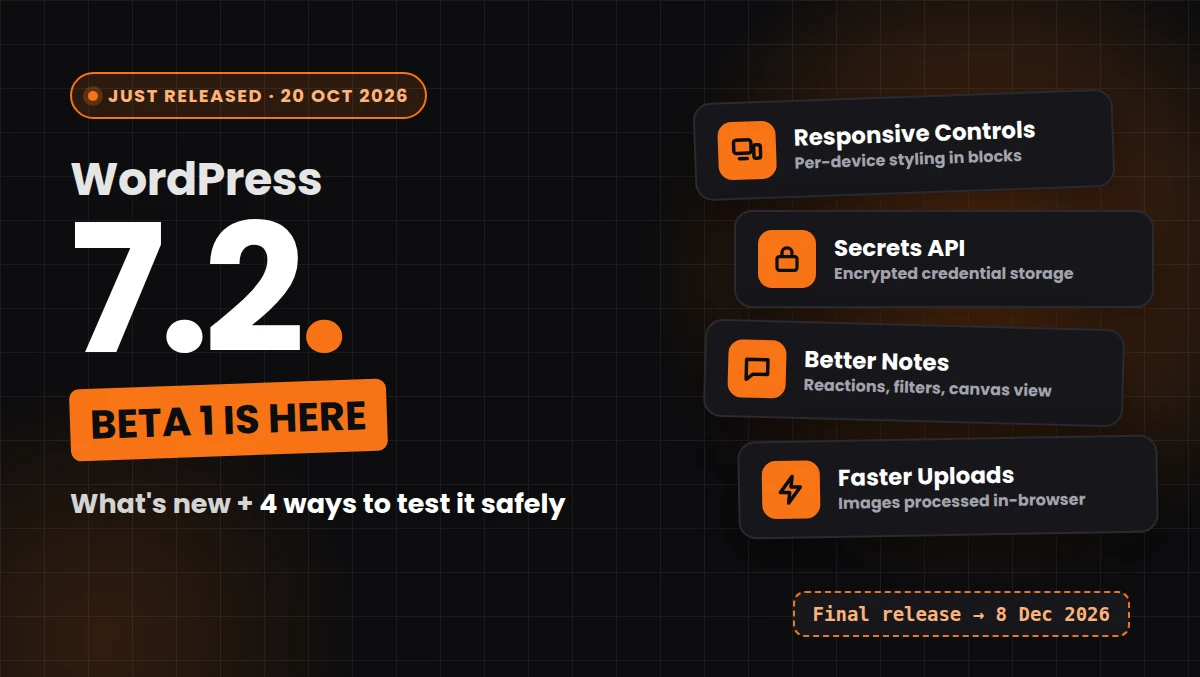
WordPress 7.2 Beta 1 came out on 20 October 2026, and it’s a bigger release than the version number suggests. There’s a new Secrets API for storing credentials, responsive design controls, better Notes, faster image uploads, and a brand-new default theme called Ipsum.
It’s still a beta, so it doesn’t belong on a live site. But if you build themes, plugins or client sites, now is the time to test. If you find a problem during the beta, the core team can fix it before release. If you find it after 8 December, it becomes your support ticket.
This guide covers the main WordPress 7.2 new features, the release schedule, and four ways to test the beta without touching production.
Are you in need of a skilled WordPress developer to bring your website vision to life?
Look no further! Whether you need custom themes, plugin development, site optimization, or ongoing support, I offer expert WordPress development services to suit your needs.
What is WordPress 7.2 Beta 1?
It’s the first testing version of WordPress 7.2. The official announcement on WordPress.org, written by David Baumwald, describes it as ready for download and testing, and asks people to use a test site rather than a production one.
During the beta period, the core team keeps fixing bugs and polishing features. The announcement says to “expect continued refinement with each Beta and RC release,” so some details may still change before the final version.
WordPress 7.2 release date and schedule
The official WordPress 7.2 schedule sets every release for 15:00 UTC
| Milestone | Date |
|---|---|
| Beta 1 | 20 October 2026 |
| Beta 2 | 27 October 2026 |
| Beta 3 | 3 November 2026 |
| Beta 4 | 10 November 2026 |
| Release Candidate 1 | 17 November 2026 |
| Release Candidate 2 | 24 November 2026 |
| Release Candidate 3 | 1 December 2026 |
| Dry run / code freeze | 7 December 2026 |
| Final release | 8 December 2026 |
One small note: the “Help Test WordPress 7.2” post on the Make WordPress Test blog mentions 9 December. The official schedule and the Beta 1 announcement both say 8 December, so that’s the date I’d plan around.
WordPress 7.2 new features for site owners and editors
Responsive design controls
This is the feature I expect most people to notice. WordPress 7.2 extends viewport-specific styling to more tools and blocks, so you can set different values for different screen sizes inside the editor. The Gallery block is a good example: columns, image cropping and aspect ratios can now change per breakpoint.
The Make Test post also mentions a public API so third-party blocks can use the same responsive controls. That matters for plugin authors who’ve been building their own responsive settings for years.
Global Styles and design tool upgrades
This part of the release is packed:
- A new “Customized” filter shows which blocks have modified styles.
- The block inspector now shows inherited Global Styles values, so you can see where a style is coming from.
- Form elements (buttons, text inputs, select fields and labels) can be styled from Global Styles.
- Text shadow controls arrive in block settings, and themes can define text shadow presets in
theme.json. - Duotone palettes can be set site-wide under Styles → Colors → Palette.
According to the Make Test post, the team has merged over 70 block support improvements, including text gradients.
Easier navigation management
You can add, organise and edit navigation items from the editor sidebar. Navigation link search groups results by content type, and a “Home link” block now appears in search results.
Notes get better for team editing
Notes, the commenting feature for collaborating on posts, picks up several improvements:
- emoji reactions on notes
- a toolbar icon to open Notes
- notes shown on the editor canvas
- the block settings sidebar and Notes open at the same time
- a minimised mode for note cards
- an “All Notes” filter
If you edit content with clients or a team, this is worth testing. Being able to keep block settings and Notes open together removes one of the more annoying back-and-forth clicks.
Faster media uploads with in-browser processing
WordPress 7.2 extends client-side media processing to the Media Library. That means your browser can resize, compress and convert images before you upload them, which takes load off the server.
According to the Make Test post, animated GIF and WebP sub-sizes now keep their animation. For now, test this in Chromium-based browsers like Chrome or Edge. In Safari or Firefox, uploads should fall back to the usual server-side processing.
For sites on budget shared hosting, which is common for small business sites in India, moving image work to the browser could make bulk uploads noticeably smoother. Whether it does depends on your host and your images, which is exactly why it’s worth testing now.
Media Library and Gallery improvements
- A redesigned media inserter, plus dynamic galleries with a “Use attached images” option
- Crop lineage tracking, so cropped images stay linked to their originals
- A Duotone filter that can apply to all gallery images
- Gallery sorting controls
A new “On This Day” dashboard widget
A small but nice touch: a dashboard widget that shows posts you published on the same date in previous years. Bloggers will probably like this for resharing old content.
A more consistent and faster admin
- WordPress replaces the Dashicons in the admin bar and admin menu with SVG icons from the WordPress icon library.
- Admin assets now load individually for better caching, and WordPress prefetches the admin screens you’re likely to open next.
- WordPress moves block settings to a DataForm-powered inspector and migrates the post settings sidebar to DataForms as well.
- A new Screen Options toggle lets you disable metabox rearranging, so drag handles can’t accidentally move boxes around.
If your plugin adds custom admin menu icons or styles the admin bar, check how it looks next to the new SVG icons.
Ipsum, the new default theme
According to the Make Test post, WordPress 7.2 bundles a new default block theme called Ipsum, described as “an intentionally minimal blank canvas blog theme.” If you like starting from a clean base, it’s worth a look.
Are you in need of a skilled WordPress developer to bring your website vision to life?
Look no further! Whether you need custom themes, plugin development, site optimization, or ongoing support, I offer expert WordPress development services to suit your needs.
WordPress 7.2 new features for developers
The new Secrets API
This is the developer feature I’m most interested in. Plugins have stored API keys and tokens in the options table, often in plain text, for as long as I can remember. The Secrets API gives WordPress a standard way to handle sensitive credentials.
The Beta 1 announcement lists encryption at rest, credential rotation and customisable storage providers. The Make Test post adds that it comes with WP-CLI support and uses native libsodium encryption.
If your plugin stores payment gateway keys, SMTP passwords or third-party API tokens, read the Secrets API proposal and plan how you’d migrate.
Abilities, Interactivity and HTML API updates
- The Abilities API is expanded.
- The Interactivity API adds trusted HTML rendering through a new
data-wp-htmldirective, plus reactive router navigation. - The HTML API now parses and processes HTML tags more safely (Trac #63724).
Random content redirects
Visitors can reach a randomly selected post through a dedicated URL. It’s a small feature, but handy for “surprise me” links on blogs.
How to test WordPress 7.2 Beta 1
Before you start: never test a beta on a live site. Use a local install, a staging copy or WordPress Playground, and take a backup first.
Method 1: WordPress Playground (no installation)
This is the quickest option. WordPress Playground runs WordPress in your browser, and the Beta 1 announcement links a ready-made Playground with the beta loaded. Playground runs entirely in your browser, so it never touches your server. Close the tab when you’re done.
Method 2: The WordPress Beta Tester plugin
- On a staging or local site, install the WordPress Beta Tester plugin.
- Go to Tools → Beta Testing.
- Choose the Bleeding edge channel and the Beta/RC Only stream.
- Click Save Changes.
- Go to Dashboard → Updates and update to WordPress 7.2 Beta.
If WordPress asks for FTP details during the update, our guide on fixing WordPress asking for FTP credentials explains the fix.
Method 3: WP-CLI
On a staging server or local site with WP-CLI, run:
bash
wp core update --version=7.2-beta1When later betas come out, change the version, for example --version=7.2-beta2. Check the result with:
bash
wp core versionMethod 4: Manual download
Download the zip from WordPress.org and install it on a fresh local or staging site:
https://wordpress.org/wordpress-7.2-beta1.zipFor local testing, the Make Test post suggests tools like Local or wp-env.
What to test first
You don’t have to test everything. Focus on the parts your sites actually use.
Check first, If you build client sites:
- Your theme and key plugins with responsive design controls and the new Global Styles options
- Image uploads in Chrome, Safari and Firefox
- Forms, since you can now style form elements from Global Styles
If you develop plugins, check:
- Admin menu icons next to the new SVG icons
- Custom post settings and metaboxes with the DataForm-based inspector
- How you store credentials, and whether the Secrets API fits
If you run a content site, try:
- Notes with your editorial team
- The new navigation tools
- The Ipsum theme on a test site
The Make Test post also asks testers to check Ipsum across PHP 7.4 to PHP 8.4+, and to check the new admin icons at 200%, 300% and 400% zoom.
Where to report bugs
If you find a problem, report it so the team can fix it before the final release:
- WordPress core problems go to WordPress Trac.
- Block editor problems go to Gutenberg on GitHub.
- If you’re not sure it’s a bug, ask in the Alpha/Beta support forum first.
Include your WordPress version (for example 7.2-beta1), PHP and database versions, active theme and plugins, steps to reproduce, and screenshots if you can.
Should you update now?
On a live site, no. Wait for the final release on 8 December 2026, then update after a backup and a quick check on staging.
On a test site, yes. Developers and agencies get the most out of testing now, because there’s still time to report problems with their themes or plugins.
While you wait, keep your live sites on the latest 7.1 security release. We covered the most recent one in WordPress 7.1.3 Security Release: What It Fixes and How to Update Safely.
Key takeaways
- WordPress released 7.2 Beta 1 on 20 October 2026 and plans the final release for 8 December 2026.
- The biggest WordPress 7.2 new features are responsive design controls, the Secrets API, Notes improvements, in-browser image processing and the new Ipsum default theme.
- The admin gets SVG icons, faster loading and a DataForm-based settings inspector.
- You can test with WordPress Playground, the Beta Tester plugin, WP-CLI (
wp core update --version=7.2-beta1) or a manual download. - Never run a beta on a production site.
FAQs
The official schedule lists the final release for 8 December 2026 at 15:00 UTC, after four betas and three release candidates.
No. The WordPress team specifically asks people to test on a test site, not a production site. Betas can contain bugs that break themes or plugins.
It’s a new standard way for WordPress and plugins to store sensitive credentials like API keys. The announcement lists encryption at rest, credential rotation and customisable storage providers.
Run wp core update --version=7.2-beta1 on a staging or local site, then check it with wp core version.
It’s called Ipsum, a minimal block theme described by the core team as a “blank canvas” for blogs.
Need help testing your WordPress or WooCommerce site against WordPress 7.2 before the December release? We check themes, plugins and custom code on staging for businesses across India. Contact us to book a compatibility check.

Pradeep Maurya is the Professional Web Developer & Designer and the Founder of “Tutorials website”. He lives in Delhi and loves to be a self-dependent person. As an owner, he is trying his best to improve this platform day by day. His passion, dedication and quick decision making ability to stand apart from others. He’s an avid blogger and writes on the publications like Dzone, e27.co