


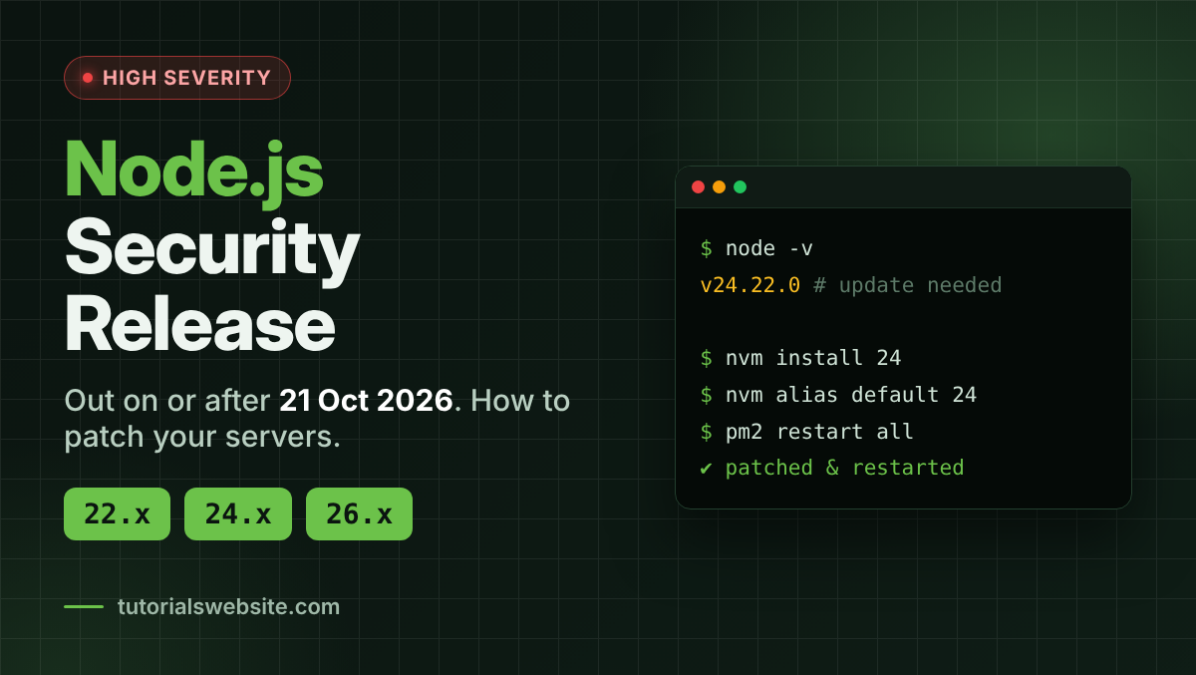
The Node.js project scheduled a Node.js security release for Wednesday, October 21, 2026. The update covers the 26.x, 24.x and 22.x release lines, and the project rates the most serious issue in each line HIGH. If you run an Express API, a Next.js site, a React build pipeline or a WhatsApp bot on a VPS, plan to update this week.
Update box (fill in when the advisory is published): At the time of writing, the Node.js team had only pre-announced the release. CVE IDs, bug details and patched version numbers were not public yet. Check the official advisory and paste the versions here:
Release line Patched version CVEs fixed 26.x (Current) to be added to be added 24.x (LTS) to be added to be added 22.x (LTS) to be added to be added
What the Node.js team has announced
The pre-announcement went up on October 14, 2026. It says:
“The Node.js project will release new versions of the 26.x, 24.x, 22.x releases lines on or shortly after, Wednesday, October 21, 2026 in order to address security vulnerabilities.”
And on severity:
“The highest severity issue fixed in the 26.x release line is HIGH.”
The advisory uses the same wording for 24.x and 22.x. No release time was given, only “on, or shortly after” October 21. Depending on when the team publishes, the new versions may not show up in India until late on October 21 or on October 22 IST.
The pre-announcement came out a week before the release date. The bug details stay private until the patches ship, so use this week to plan your maintenance window.
Quick facts
| Item | Details |
|---|---|
| Release date | On or shortly after October 21, 2026 |
| Lines getting patches | 26.x, 24.x, 22.x |
| Highest severity | HIGH (in all three lines) |
| Latest versions before the fix | 26.12.0, 24.22.0 (both October 14), 22.23.3 (September 23) |
| End-of-life lines | 25.x and older, including 20.x (EOL April 30, 2026) |
| Official announcements | nodejs.org vulnerability blog and the nodejs-sec mailing list |
Which Node.js versions are affected?
The advisory names three lines. Here’s where each one stands on the official release schedule:
| Line | Codename | Status | End of life |
|---|---|---|---|
| 26.x | none yet | Current (Active LTS scheduled from October 28, 2026) | April 30, 2029 |
| 24.x | Krypton | LTS (Maintenance phase scheduled from October 20, 2026) | April 30, 2028 |
| 22.x | Jod | Maintenance LTS | April 30, 2027 |
The advisory also says something worth taking seriously: “End-of-Life versions are always affected when a security release occurs.”
So if you’re still on Node 20, 18 or 16, you’re affected and no patch is coming. Node 20 reached end of life on April 30, 2026. Plenty of older client projects in India, built in 2022 or 2023 and never touched since, still run on these versions.
Step 1: Check which version you’re running
Run this on every machine that runs your app, not just your laptop:
bash
node -vInside a running app, you can log it:
js
console.log(process.version); // e.g. v24.22.0On a server that uses PM2, check which Node binary PM2 is using:
bash
pm2 info <app-name> | grep -i "node.js version"Note that npm audit checks your packages, not the Node.js runtime itself. A clean audit doesn’t mean your Node version is patched.
Step 2: Update Node.js
Wait until the patched versions appear on nodejs.org before running these commands. If you run them earlier, you’ll just reinstall the version you already have.
Option A: nvm (Linux, macOS, WSL)
bash
# See the newest 24.x builds
nvm ls-remote 24

# Install the latest 24.x and make it the default
nvm install 24
nvm alias default 24

node -v
Swap 24 for 22 or 26 if that’s your line. Global packages don’t move over to the new version on their own. Reinstall them, or use nvm install 24 --reinstall-packages-from=current.
Option B: Ubuntu or Debian with the NodeSource repository
If you installed Node from NodeSource, a normal package upgrade picks up the new patch release:
bash
sudo apt-get update
sudo apt-get install --only-upgrade nodejs
node -v
Then restart your app so it runs on the new binary:
bash
pm2 restart all --update-env
# or, for systemd services
sudo systemctl restart your-app.service
Until you restart, running processes keep using the old Node binary.
Option C: Docker
The official node images on Docker Hub use tags like node:24, node:24-alpine, node:22-bookworm-slim and node:26. After the release, the image maintainers rebuild these tags. The update can take a little while to appear.
Rebuild your image so it pulls the fresh base:
bash
docker build --pull -t my-app:latest .The --pull flag makes Docker check for a newer base image instead of using the cached one. For predictable builds, pin the exact patched version in your Dockerfile once it’s out:
dockerfile
# replace with the patched version from the advisory
FROM node:24.x.y-alpine
Option D: Windows
Download the latest installer for your line from nodejs.org and run it. It upgrades the existing installation. If you use nvm-windows, install the exact patched version number, then run nvm use with that version.
Option E: GitHub Actions
actions/setup-node checks the runner’s local cache first. To make sure CI picks up the newest patch, pin the exact version or ask the action to look for the latest match:
yaml
- uses: actions/setup-node@<your-current-version>
  with:
    node-version: '24.x'
    check-latest: true
Step 3: Test before you call it done
Security fixes sometimes change edge-case behaviour, so run a quick check:
- Run your test suite:
npm test. - Start the app and open the pages that matter (login, checkout, admin).
- Hit one or two API routes with
curl -iand check the status codes and headers. - If you use native modules (bcrypt, sharp, sqlite3), run
npm rebuildafter the upgrade. - Check the logs for the first hour after deploying.
The same habit works for any runtime upgrade. We follow a similar routine in our guide on how to test your app before upgrading to PHP 8.6.
What about Vercel, Netlify and shared hosting?
Vercel: You don’t choose patch versions there. Vercel’s docs say: “Only major versions are available. Vercel automatically rolls out minor and patch updates when needed, such as to fix a security issue.” It currently offers 24.x (the default) and 22.x.
Other platforms: Netlify, Render, Railway and similar hosts each handle runtime patches their own way. Check your platform’s Node.js version docs or changelog.
cPanel shared hosting: Some cPanel hosts offer Node.js through a “Setup Node.js App” screen. You can only pick versions your host has installed. If you still see only Node 18 or 20 there, open a support ticket. Both lines are end-of-life.
Still on Node 18 or 20? Your options
You have two real choices:
- Upgrade to 22 or 24. For most Express and Next.js apps, moving to 24.x (supported until April 2028) is the better long-term step. Test on a staging server first, because jumping several major versions can break older dependencies.
- Buy commercial extended support from a third-party vendor, if a rewrite isn’t possible yet. This costs money. Treat it as a bridge, not a plan.
How to get these alerts next time
Node.js publishes security news in two places:
- The mailing list: groups.google.com/group/nodejs-sec
- The vulnerability blog: nodejs.org/en/blog/vulnerability, which also has an RSS feed at
https://nodejs.org/en/feed/vulnerability.xml
If you also look after WordPress sites, don’t stop at Node. Read our guide to the WordPress 7.1.3 security release and how to update safely.
Key Takeaways
- Node.js is shipping security fixes for 26.x, 24.x and 22.x on or shortly after October 21, 2026, and the highest severity is HIGH.
- End-of-life versions, including Node 20 and 18, are affected and won’t be patched.
- Check
node -von every server, update with nvm, apt or a fresh Docker build, then restart your processes. - Vercel applies patch updates automatically. Most other hosts need you to act.
- Subscribe to nodejs-sec or the vulnerability RSS feed so you get the next pre-announcement in time.
FAQs
The Node.js project said the releases would be available “on, or shortly after, Wednesday, October 21, 2026” for the 26.x, 24.x and 22.x lines.
Node.js says end-of-life versions are always affected when a security release happens. Node 20 reached end of life on April 30, 2026, so it won’t get a fix. Upgrade to 22 or 24.
Vercel says it automatically rolls out minor and patch updates when needed, such as to fix a security issue. You don’t need to change the version, though redeploying is a sensible extra step.
Use an LTS line. As of October 2026 that’s 24.x (Krypton, supported until April 2028) or 22.x (Jod, supported until April 2027), on the latest patch release.


Pradeep Maurya is the Professional Web Developer & Designer and the Founder of “Tutorials website”. He lives in Delhi and loves to be a self-dependent person. As an owner, he is trying his best to improve this platform day by day. His passion, dedication and quick decision making ability to stand apart from others. He’s an avid blogger and writes on the publications like Dzone, e27.co


