


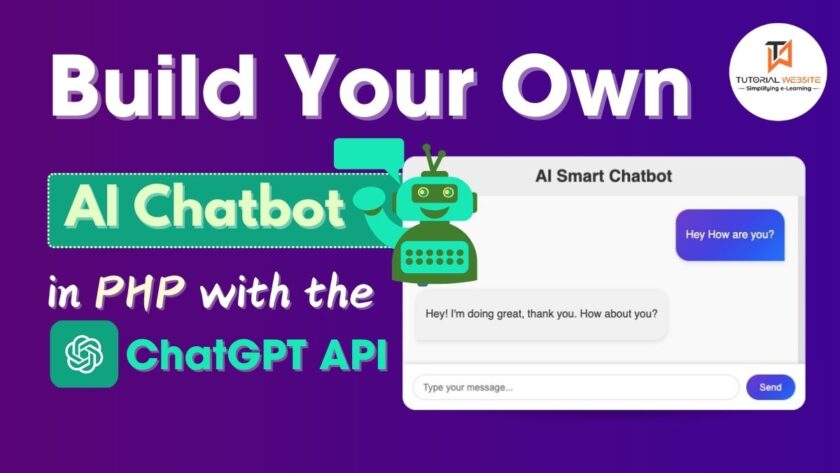
APIs such as OpenAI’s ChatGPT make it easier to build your own AI smart chatbot. In this tutorial, we will walk you through the process of constructing a working chatbot with PHP and the ChatGPT API.
Features
- User-Friendly UI: A clean and responsive design for seamless interaction.
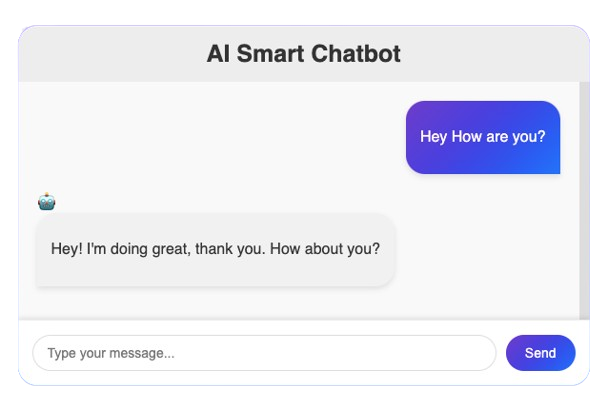
- Typing Effect: Simulates typing for a realistic chat experience.
- Markdown Support: Properly renders rich-text responses from the AI.
Get a professionally designed and developed website tailored to your needs.
As an experienced website developer based in Delhi NCR, I offer customized solutions to build responsive, SEO-friendly, and user-friendly websites. Whether it’s for a personal blog, business site, or e-commerce store, I ensure your online presence stands out.
Before we start, ensure you have the following:
- A Web Server: Apache, Nginx, or any local development environment like XAMPP or WAMP.
- Composer Installed: To manage PHP dependencies.
- OpenAI API Key: Sign up at OpenAI to get your API key.
- Basic Knowledge: Familiarity with PHP, JavaScript, and HTML/CSS is assumed.
Build Your Own AI Smart Chatbot
Step-1: Generate OpenAI API Key
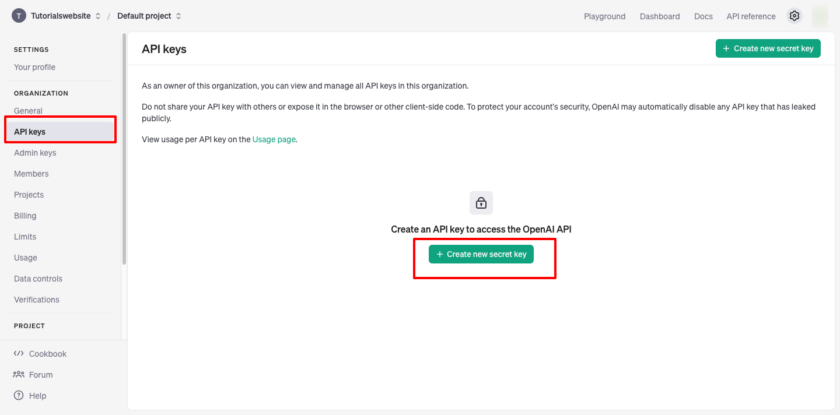
Once you’ve created an account and logged in, Create your project and navigate to the API section to generate an API key. This key will allow your PHP application to communicate with OpenAI’s servers.


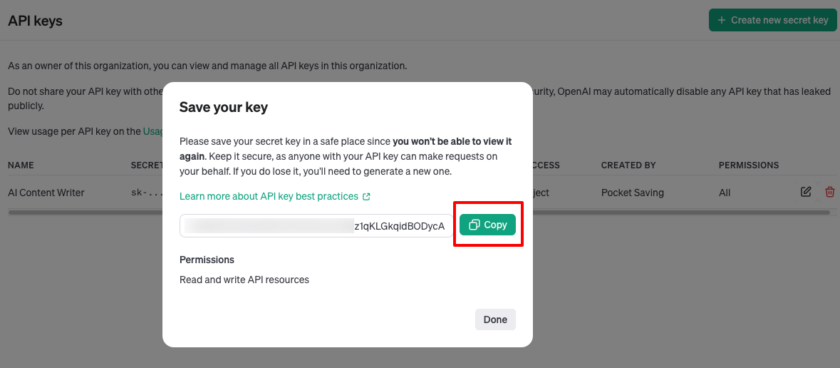
Now copy and save this key in a safe place for future use in the project.
Also Read: Create Your Own AI Content Writer in PHP with the ChatGPT API
Step 2: Setting Up the Project
1. Create a New Directory:
Name it “ai-chatbot“ or any preferred name.
2. Install Required Dependencies:
composer require erusev/parsedownThis installs the Parsedown library for rendering Markdown responses from OpenAI.
3. Directory Structure:
ai-chatbot/
|-- index.php
|-- openAI.php
|-- vendor/
Step 3: Building the Frontend (index.php)
Copy and paste the complete code for index.php. This file provides the user interface:
Smart Chatbot
AI Smart Chatbot
Step 4: Backend Logic (openAI.php)
We will use this file to handles communication with OpenAI’s API.
 'gpt-3.5-turbo', // Or use 'gpt-3.5-turbo' for GPT-3.5
        'messages' => [
            ['role' => 'system', 'content' => 'You are a helpful assistant.'],
            ['role' => 'user', 'content' => $message]
        ],
        'temperature' => 0.9,
        'max_tokens' => 150
    ];

    // Set up cURL for the request
    $ch = curl_init($url);
    curl_setopt($ch, CURLOPT_RETURNTRANSFER, true);
    curl_setopt($ch, CURLOPT_POST, true);
    curl_setopt($ch, CURLOPT_POSTFIELDS, json_encode($data));
    curl_setopt($ch, CURLOPT_HTTPHEADER, [
        'Content-Type: application/json',
        'Authorization: Bearer ' . $apiKey
    ]);

    // Execute the cURL request and get the response
    $response = curl_exec($ch);
    curl_close($ch);

    // Check if the response is empty or an error occurred
    if ($response === false) {
        return 'Error: Unable to get response from API.';
    }

    // Decode and return the response
    $responseData = json_decode($response, true);

    if (isset($responseData['choices'][0]['message']['content'])) {
        return $responseData['choices'][0]['message']['content'];
    }

    return 'Error: No valid response from API.';
}

// Check if the form is submitted
if ($_SERVER['REQUEST_METHOD'] === 'POST') {

    $userMessage = $_POST['message'] ?? '';
   if (!empty($userMessage)) {
        $botResponse = getChatbotResponse($userMessage); // Fetch response
        $parsedResponse = $Parsedown->text($botResponse); // Convert to Markdown
        echo json_encode(['response' => $parsedResponse]); // Send as JSON
    } else {
        echo json_encode(['response' => 'Error: No message provided.']);
    }
    exit;
}
?>
Note: Don’t forget to replace your OpenAI API Key and models in the above code.
Are you want to get implementation help, or modify or extend the functionality?
A Tutorialswebsite Expert can do it for you.
It’s done. Now, you can Access the URL of your project in your development environment, for example: http://localhost/ai-chatbot/.
if your code in on the live server then open https://yourdomain.com/ar-chatbot/

Concusion
Building an AI-powered smart chatbot using PHP and the OpenAI API opens up a world of possibilities for developing interactive and intelligent user experiences. You can create chatbots that comprehend and answer to user queries efficiently using PHP’s simplicity and OpenAI’s sophisticated natural language processing capabilities, delivering tailored solutions across a variety of applications.
Thanks for reading 🙏, I hope you found How to Create Your Own AI Chatbot in PHP with the ChatGPT API tutorial helpful for your project. Keep learning! If you face any problems – I am here to solve your problems.
FAQs
Yes, a basic understanding of PHP, HTML, JavaScript, and API integration is required.
Absolutely! While this article focuses on PHP, the ChatGPT API can be used with any language that supports making HTTP requests, such as Python, Java, Node.js, and more
The ChatGPT API has limits on request size (number of tokens), rate limits based on your subscription, and potential inaccuracies in its responses.
Yes! By modifying the system message in the API request, you can define the chatbot’s personality, tone, and knowledge base, tailoring it to your specific needs.
The provided example is a basic implementation. For production use, additional features like error handling, database integration, user authentication, and advanced response management should be added.


Pradeep Maurya is the Professional Web Developer & Designer and the Founder of “Tutorials website”. He lives in Delhi and loves to be a self-dependent person. As an owner, he is trying his best to improve this platform day by day. His passion, dedication and quick decision making ability to stand apart from others. He’s an avid blogger and writes on the publications like Dzone, e27.co